' href='data:image/webp;base64,UklGRmwBAABXRUJQVlA4IGABAADwBgCdASogACAAPrVMn0snJCKhqA1Q4BaJYgCdMtPlnEB0g+EObaWkpz7//fZPkni5zibuQMgcGZcc7S7091cQAP7n7JcYZjskRpqnruY9AzGHZuOZpBE7vr7JiqwyeDRUBpExBBvEaTplinNaPmV1+E4KOi+S3s0DAoODH6JEY9iEMiiD+4clPXlmkECsNmGhl7mns3LwmVtvK0M+OMGqKw1YHxrkD9jikdWi74+yuhw3RJe57Zn2koEZLxyqaH3OJtJKzacJvmG/otdzLo3xlqzv6oITUuqmhsMZ4hE6FkYq6YgEJc5YXl2je3xTmDVqEKtJ3QFTSIKxLqPf08HCWfTFBk1h/yzcfIx/8NkNlsliYZibYSmnVY4EwFU0QmLBicNHGH6Abxrzcq49oItLJj+PK2n9lpM/2iGKv6p3bC1Ajx+oVAPbOOkOP/uYrDtorqzGuKp9eRuWjk26AAAA'/%3E%3C/svg%3E)
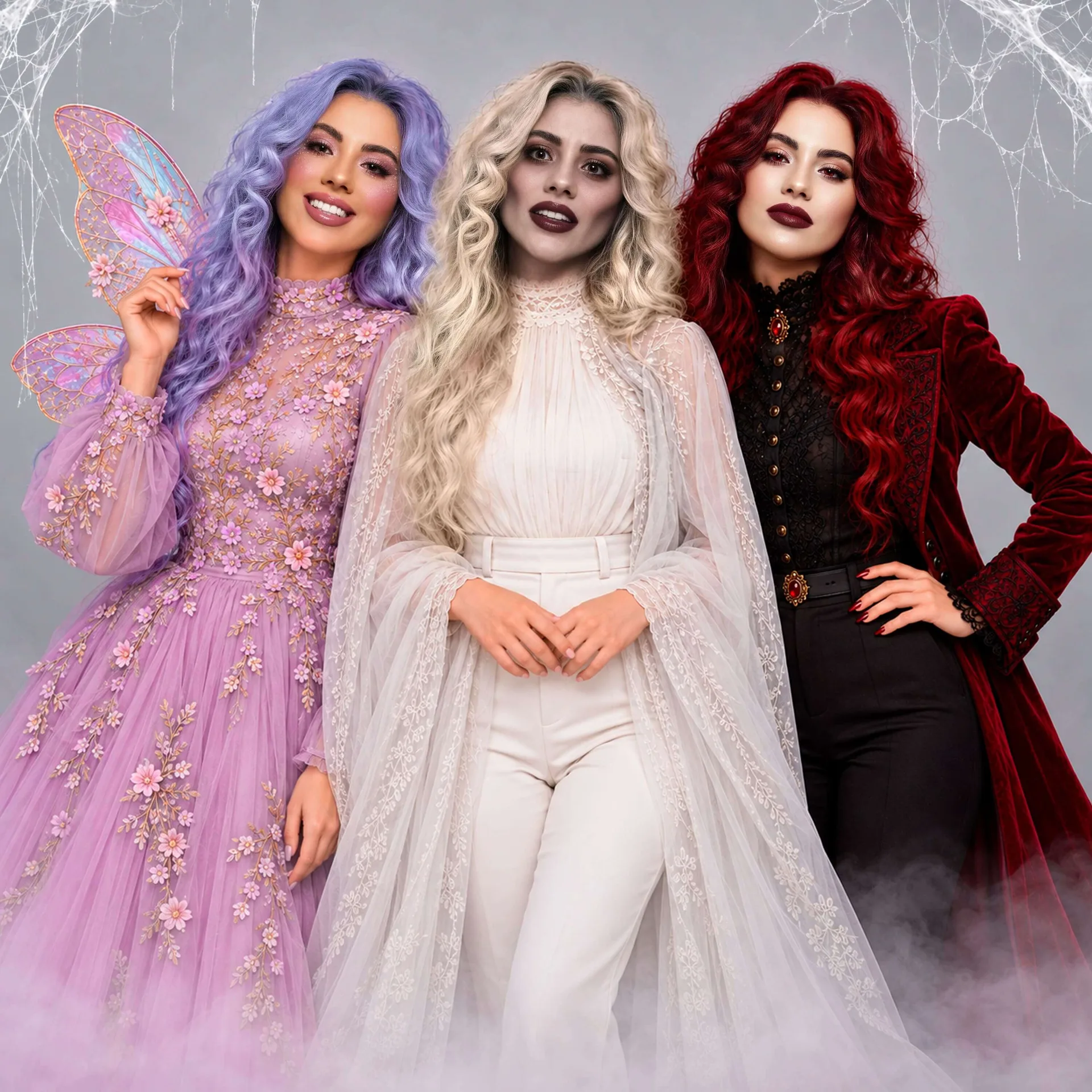
Witch, Please! Halloween Filters Worth Trying
Table of Contents
- Halloween Filters Worth Trying
- Halloween Costume Ideas
- Halloween Filters
- How to Create Your Halloween Look With FaceApp
- FAQs
Superheroes? Werewolves? Villains? Vampires? Witch, please. You know what’s really scary about Halloween? Leaving your costume idea until the eleventh hour, only to realize that what looked terrifyingly good in your head looks downright ridiculous in real life.
But fear not. We’re here to help you pull off a Halloween look worth screaming about. Maybe even take home first prize at your office costume contest, assuming your employer is the fun kind that organizes such things.
Unfortunately, we can’t all be Heidi Klum, whose annual Halloween transformations have become a competitive sport. But yes, we can for sure borrow a page from her book. Preferably the one that doesn’t involve sitting in a makeup chair for 12 hours.
That is where FaceApp comes in handy. If you have an elaborate costume planned but want to see whether the makeup will actually suit you? We’ve got you. And that first-place trophy we talked about earlier? We’re rooting for you. Even if you’re strictly here for the Instagram likes, with absolutely no intention of leaving your couch, we’ve got you covered. Just make sure your phone’s fully charged, because FaceApp has a few tricks (and treats) up its sleeve.
Here’s how to make the most of them.
Halloween Costume Ideas: Try Before You Terrify
Let’s say you’ve decided to go all out this Halloween. You know exactly who (or what) you want to be, you’ve bookmarked approximately 37 makeup tutorials, watched transformation TikToks like it’s a national sport, and you’ve found a wig that costs more than your last haircut.
There’s just one question: Will any of this actually look good on you?
Before you spend your hard-earned money on makeup and all that jazz, consider giving your ideas a virtual dress rehearsal.
Get a Little Wicked With Your Makeup
Halloween is the one night of the year when excessive makeup isn’t just encouraged. It’s the expected standard.
Here’s an idea: Wanna be a glamorous witch rather than the kind who lives in a gingerbread house and eats children? Try experimenting with dramatic eyeliner, darker lip colors, and exaggerated eye makeup in FaceApp’s Makeup folder.
For something more ethereal, try FaceApp’s Crystal filter, which adds shimmering eyeshadow and jewel-like accents. A few taps, and you’ve got the makings of a Maddy Perez or Jules Vaughn-inspired look straight out of Euphoria. Or perhaps a fairy, an ice queen, or a celestial creature who’s clearly too fabulous to belong to this planet.
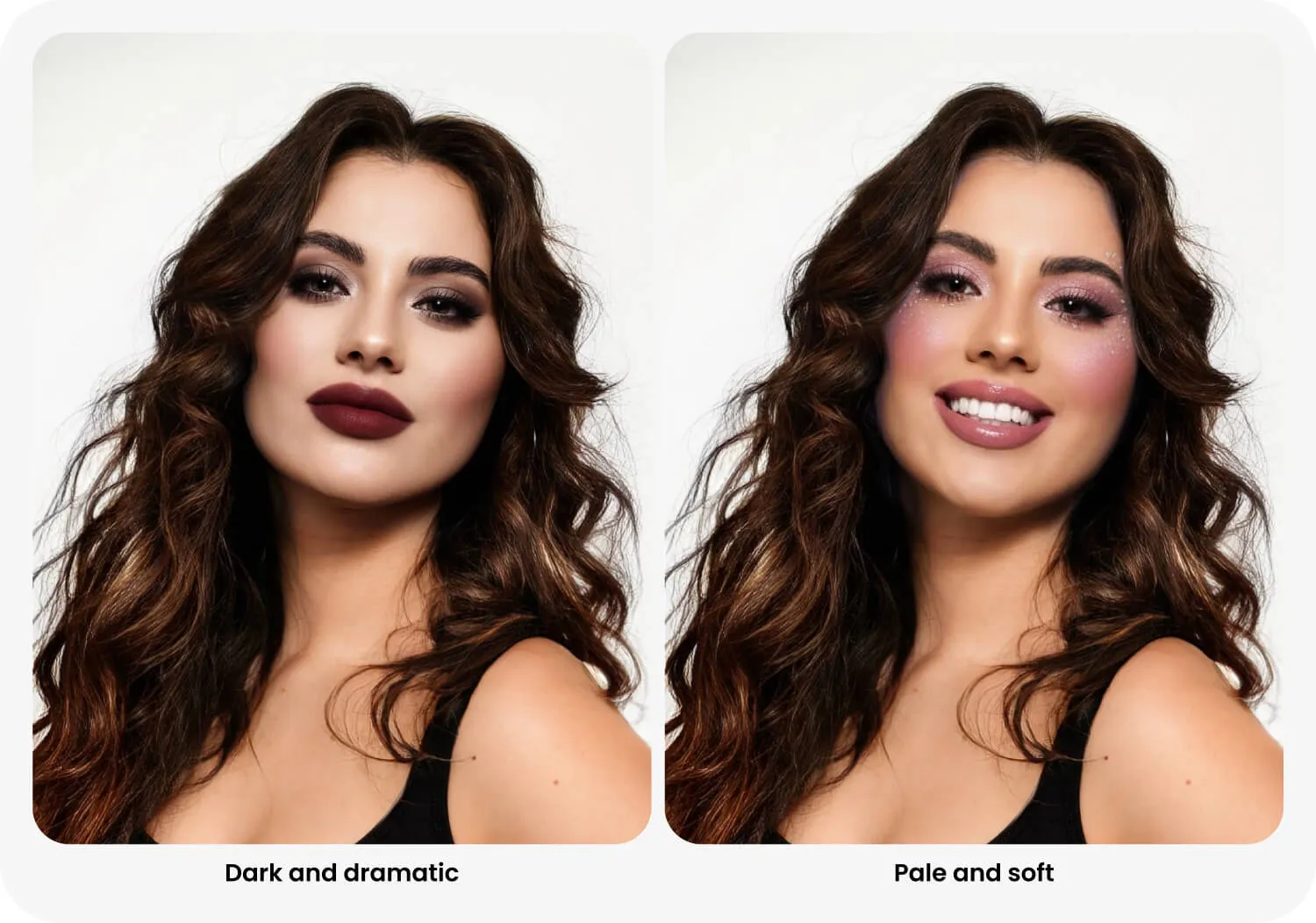
If the makeup gods have blessed you with exceptional skills, or you’re simply good at following instructions from people who have them, give FaceApp’s Features tools a try. See how changes in facial structure and definition might influence your look. Those sculpted cheekbones you’ve been admiring in every Halloween makeup tutorial? Now’s your chance to decide whether that dramatic contour is worth attempting with an actual makeup brush.
And if you discover that your dream look requires a level of artistic ability you simply do not possess? Better to find out now than at 7:45 p.m. on October 31.
Have a Hair-Raising Experience
Dyeing to dye your hair half pink, half black? Halloween is probably your best excuse yet, but don’t be too hasty with that decision.
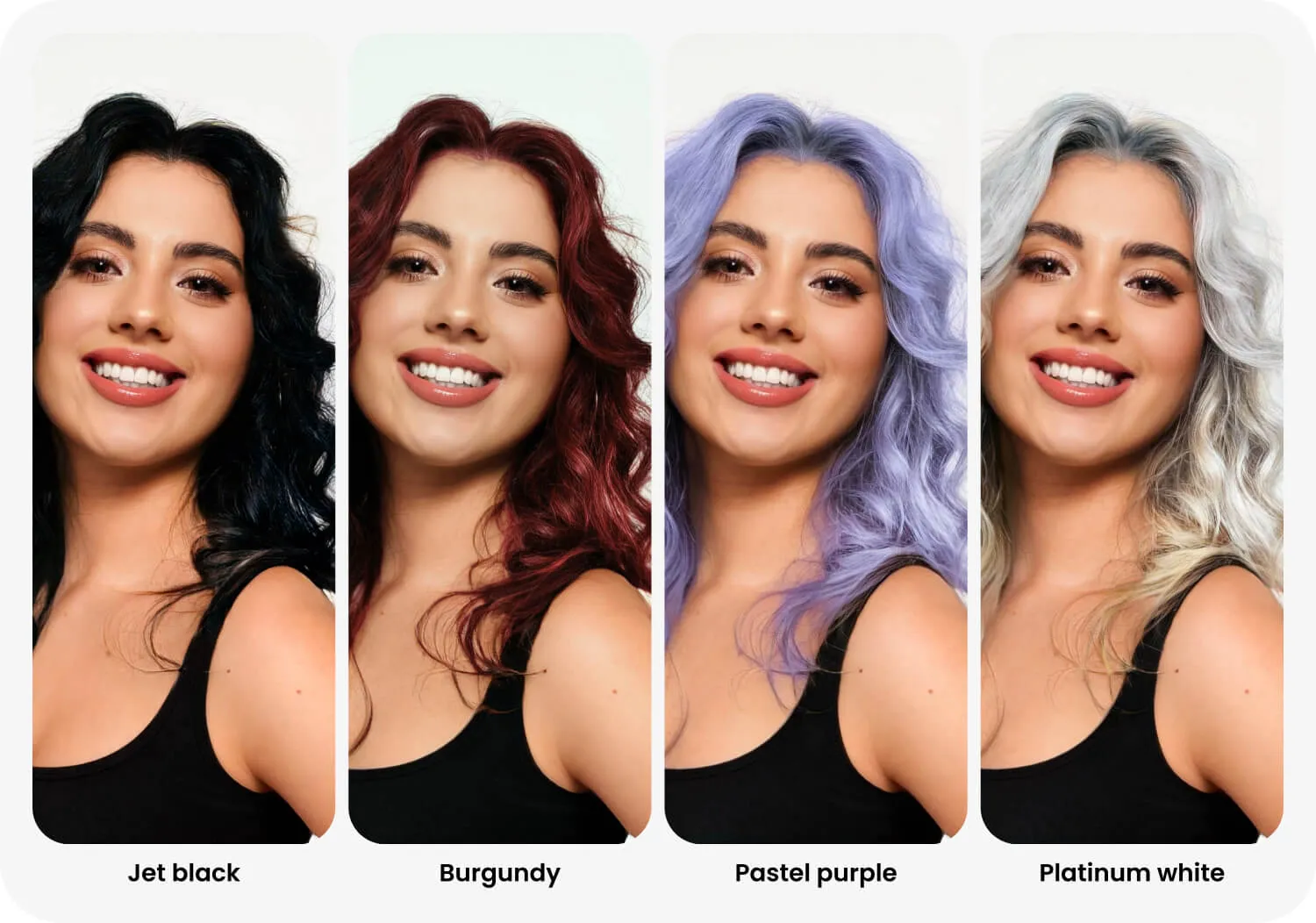
FaceApp’s Hair Colors folder lets you experiment with different shades before committing to a wig, temporary color, or something significantly more permanent.
The Colored filter offers options like black, red, purple, and white, while Transfer lets you borrow hair-color inspiration from a reference image.
Gothic vampires, comic-book villains, wicked witches of the West (and the rest): whatever you’re planning to be, there’s a hair color to match. And if there isn’t, well, that’s what mixing things up is for.
There’s no shortage of possibilities, and the best part is that none of them involve explaining an unfortunate dye job to your hairdresser on November 1.
Uncage Your Inner Animal
Some of the best Halloween costumes are also the simplest.
Take the classic cat costume, for instance. Black clothes, a pair of pointy ears, perhaps a little eyeliner for whiskers. Done.
FaceApp’s Fun folder includes Cat and Dog transformations, so you can see yourself with an animal-inspired face before deciding which direction to take your costume.
If the feline look wins, start shopping for those cat ears. If you’re more of a puppy person, a floppy-eared headband might be just the thing.
Halloween Filters for When You Have Absolutely No Intention of Dressing Up
Now, for those who love Halloween in theory but aren’t particularly interested in spending three hours getting ready, we have some excellent news.
You can participate in the festivities without buying a costume, applying a single stroke of makeup, putting on pants, or leaving the comfort of your sofa.
All you need is your phone, a decent selfie, and a fully charged battery. Actually, you might want to cancel your plans for the day, too, because once you start playing with these FaceApp filters, there’s a good chance you’ll be at it for hours.
Sink Your Teeth Into the New Halloween Filters
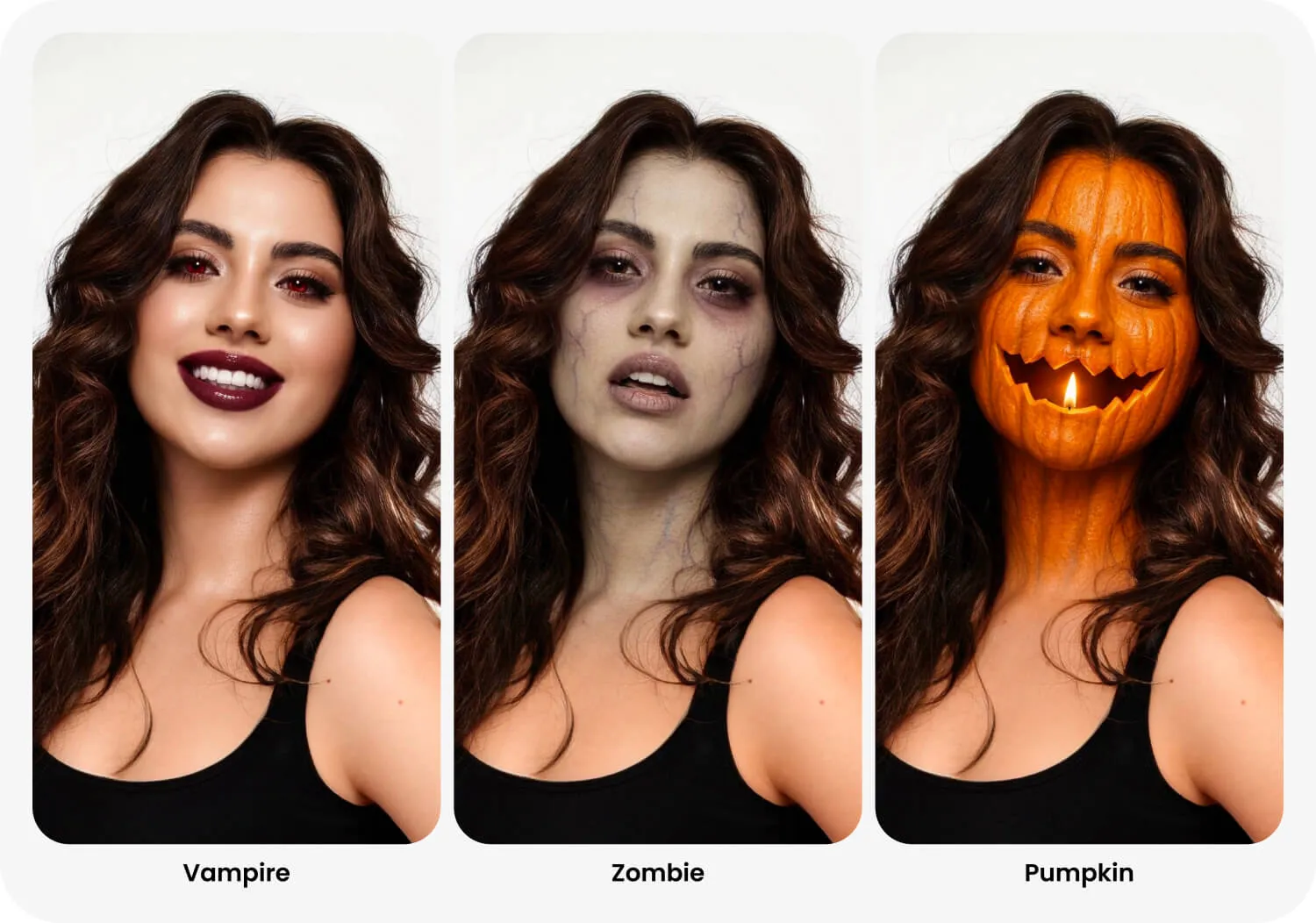
Drumroll, please! For the first time ever, FaceApp has introduced dedicated Halloween transformations in its Fun folder.
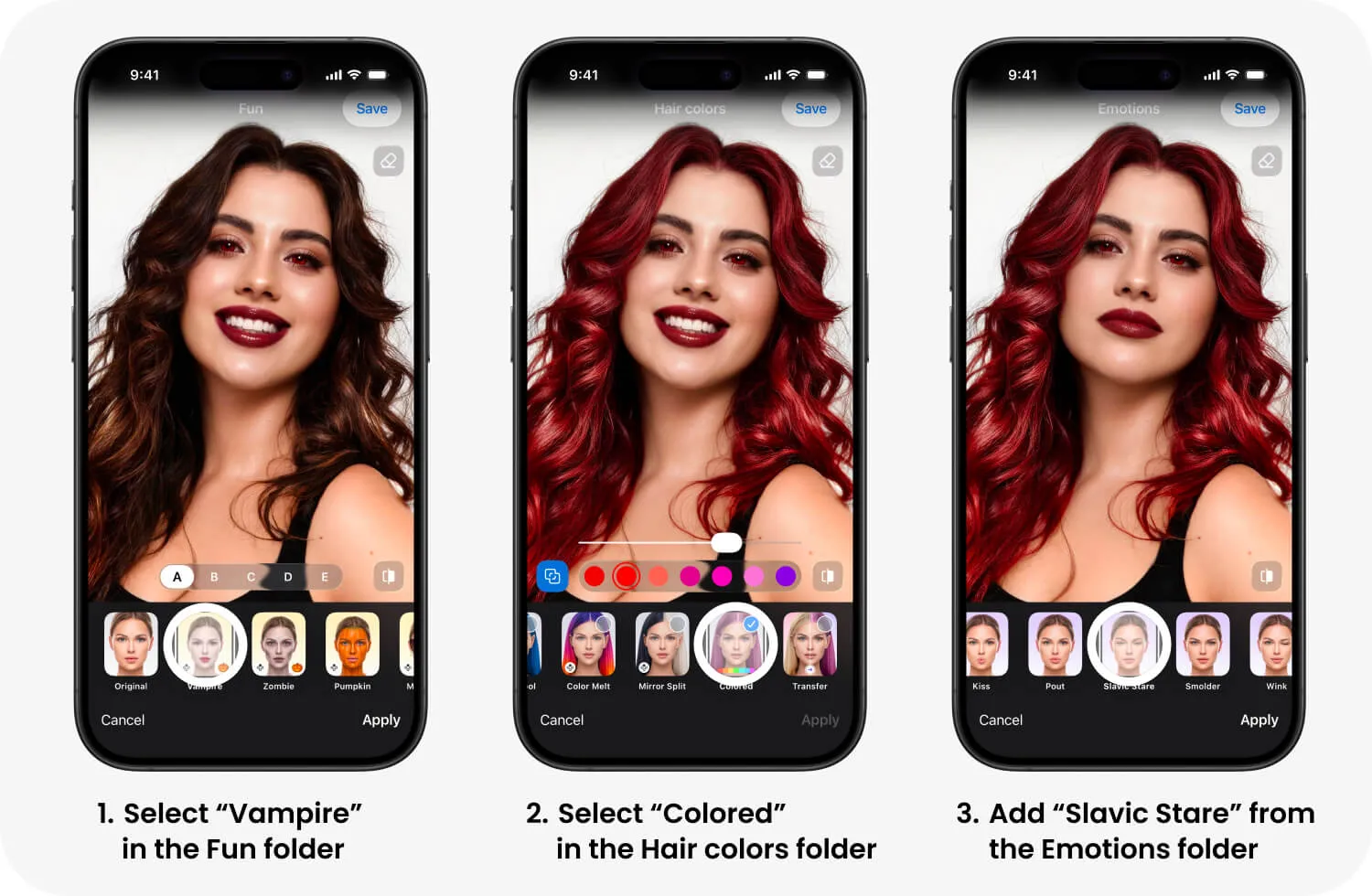
Vampire: For anyone who’s always suspected they’d make a devastatingly attractive member of the undead. Added bonus: there’s absolutely no need to develop an aversion to garlic.
Zombie: Perfect for those mornings when you wake up like this. And by this, we mean feeling like the living dead. Might as well make it official.
Pumpkin: So you don’t want to be extra cute, heroic, sexy, or frightening. We respect that. Be a pumpkin, babe. The best pumpkin there ever was.
Master the Art of Looking Absolutely Terrified
Every good horror movie needs someone who can deliver a convincing scream. The problem is, not all of us are blessed with Oscar-worthy acting abilities.
Enter FaceApp’s Emotions folder.
The Terrified filter transforms your expression into one of genuine-looking fear, making it an excellent choice for Halloween reaction photos.
But don’t stop there. Try Furious for the villain who’s finally had enough of everyone’s nonsense. Just picture yourself surrounded by some of your not-favorite people. Or Disgusted, for pretty much the same reason.
You can even experiment with the Smiles folder if your Halloween character happens to be inspired by one of Jack Nicholson’s more unsettling performances.
Give Them the Slavic Stare
If you’ve spent any time on social media lately, you’ve probably encountered the Slavic Stare.
Eastern Europeans have certainly been having a good laugh watching the rest of the internet discover the appeal of an unamused facial expression. Who knew that looking profoundly unimpressed would one day become a trend?
FaceApp has a Slavic Stare filter in its Emotions folder, and we can think of several Halloween characters who’d benefit from its deadpan charm.
For the mob-wife look, FaceApp’s Mob Wife filter takes care of the makeup. All you need to complete the aesthetic are oversized sunglasses, a luxurious-looking faux-fur coat, and big hair to match. Wait, wait… FaceApp can help with those finishing touches, too.
For a special level of scary, add the Slavic Stare filter, and you’ve got the sort of woman who doesn’t need to raise her voice to make a point.
How to Create Your Halloween Look With FaceApp
Ready to experiment? Here’s how to get started:
- Open FaceApp and choose a clear photo where your face is visible.
- Browse through the filter categories, including Makeup, Hair Colors, Fun, and Emotions. We wholeheartedly suggest spending a little extra time haunting the Fun folder.
- Choose a transformation and preview how it looks on your face.
- Experiment with different effects and, where supported, combine filters to create a more elaborate look.
- Save your favorite result, whether you’re using it as inspiration for a real costume or sharing it with your friends.
All that’s left is to get into the Halloween spirit. Open that camera roll and let us get you under our spell.