' href='data:image/webp;base64,UklGRnABAABXRUJQVlA4IGQBAABwCQCdASogACAAPrVKnkmnJCKhMAgA4BaJbACdMzRCz5BxFWx5AD+u2sB1APKA9QD1AN42/cz9gPaqJoNKOplqtnzw0tIroUQKrn011xzXAhKZZMAA/v2c16N87ym4Enn6dEW7U/1L9JfOYnq42eG/mR3LxUoeXCX+JVf9HY91k0eNAm5c36CvHUD/8gYOp6bqXKZ4SD2E1IslmgQM//ClkbcbnIWQ8TQSXNBE+GFClT1UNxNtBoMtJig2GJkS2v7MWV3D4RnQ1Q/uPdDevudhIxyHSwDPSpRRufNAVxTlkyrv3O6aniBydJkMdO45icbhF2se179i9NVmm5OjF6zbcwv7+JenmSBV2rtesaDGv2Lod9noX6V6pYSWrX4RJWT0AP/iGNYfPFAtEP+GNZLzFUZWJOklDO6n1fMBEvXtbtb48KDXmpXsbVDGeOIG+RFr64Mfyn7GT81y57EYxIDhJnAAAA=='/%3E%3C/svg%3E)

Editing Portrait Like a Pro
Table of Contents
- Start With Skin: The Foundation of a Believable Portrait
- Light, Expression, and Proportions: The Three Subtle Levers
- How FaceApp Makes Portrait Editing Intuitive
- FAQ
Portrait editing can easily go wrong. A few thoughtful adjustments can make someone look confident and polished. Too many, and the image starts to feel artificial. For beginners, that balance is hard to find — especially when tools make dramatic changes so easily.
But a professional portrait look rarely comes from heavy retouching. It comes from knowing how to be precise. Here are some portrait editing tips — easy to remember and use.
Start With Skin: The Foundation of a Believable Portrait
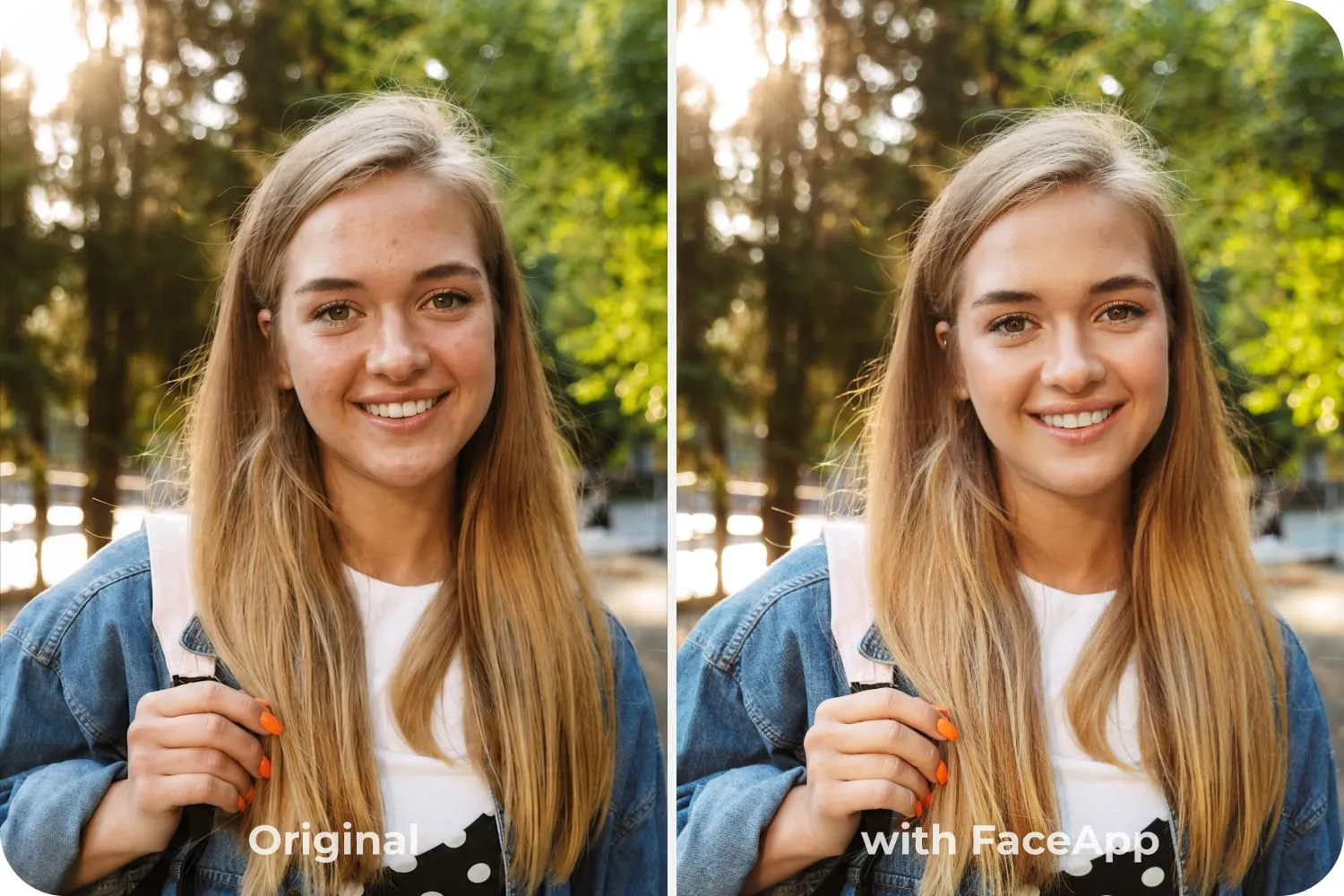
Start with skin texture. Instead of smoothing everything, focus on evening out the tone while keeping natural detail. Real skin has texture — and preserving it is what keeps a portrait believable. This is the foundation of realistic photo retouching.
Light, Expression, and Proportions: The Three Subtle Levers
Light is dramatically important. Slightly lifting shadows on the face or balancing highlights can create dimension without flattening features. Small adjustments make a face feel fresh and well-lit, even if the original lighting wasn’t perfect.
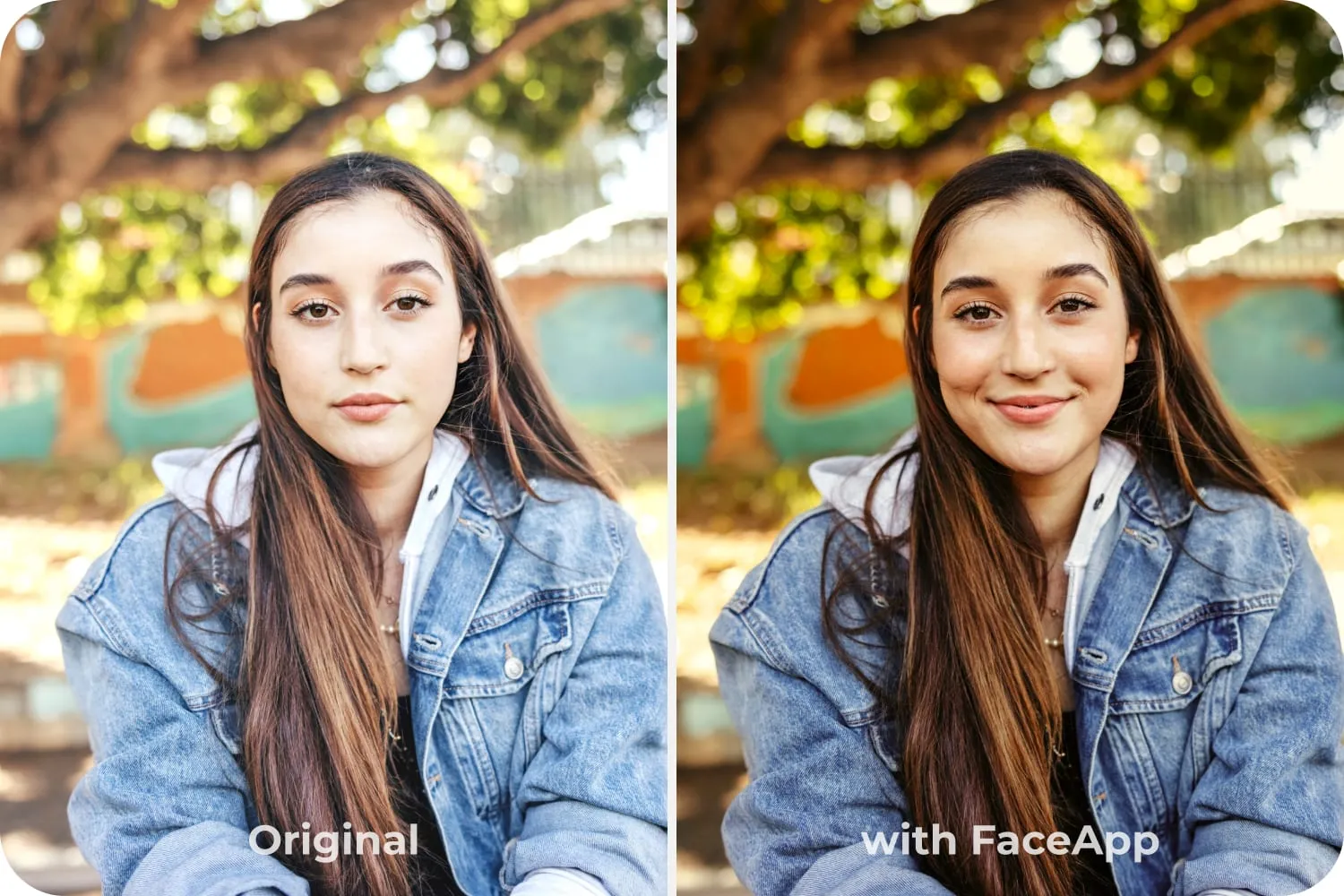
Expression is another subtle tool. A gentle smile enhancement or eye brightening can bring life to a portrait without changing your identity. The goal is to enhance what’s already there — not replace it.
Pro-level results also depend on proportions. Over-adjusting facial shape can quickly distort natural structure. Smart, face-aware tools help maintain balance while allowing small refinements where needed. These face editing tips focus on harmony rather than transformation.
How FaceApp Makes Portrait Editing Intuitive
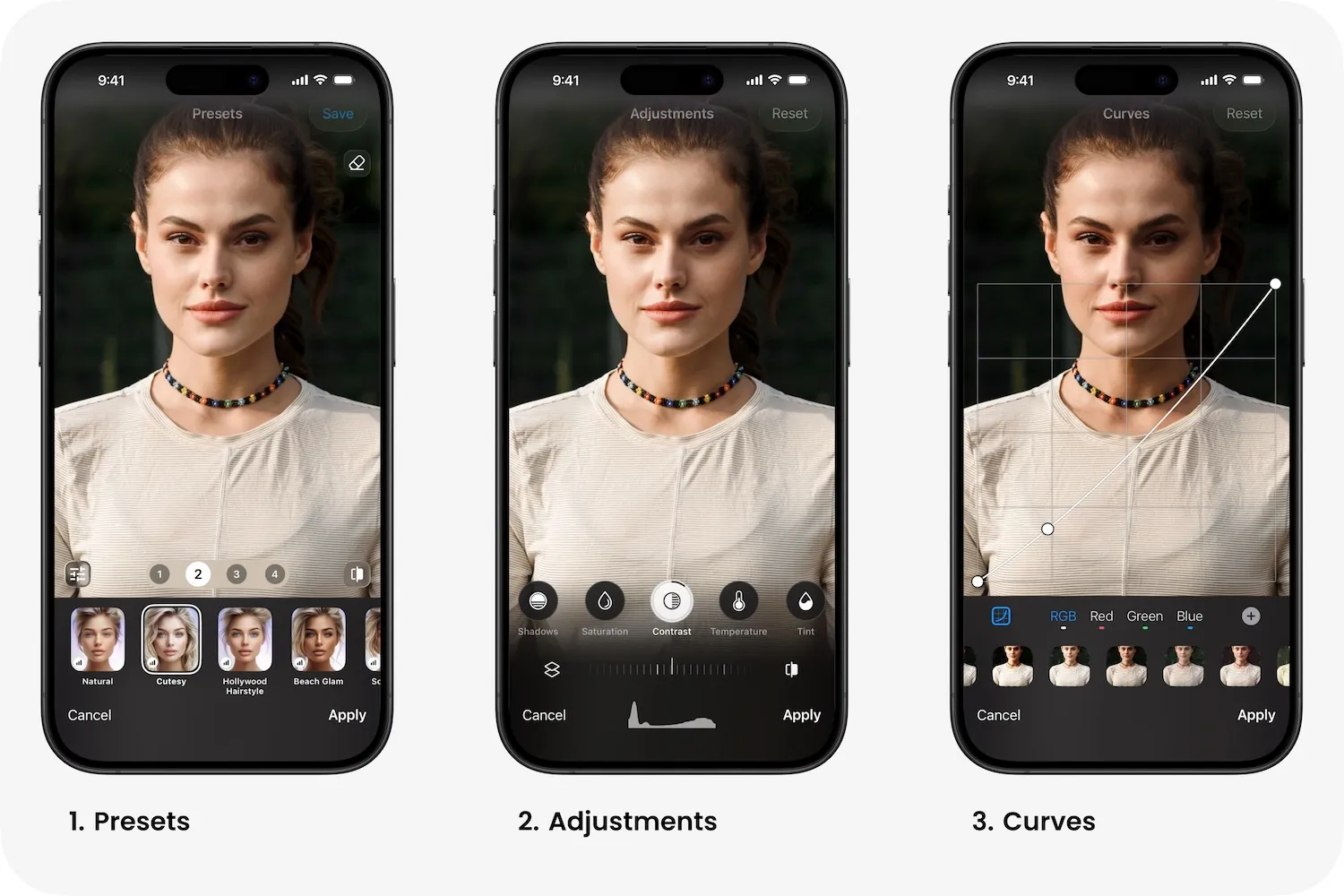
With FaceApp portrait editing, these techniques become intuitive. The app’s portrait tools are designed to work with facial features instead of against them, making it easier to edit portraits naturally. Presets provide a reliable starting point, while subtle sliders allow fine control without technical overwhelm.
When adjustments are subtle and proportion-aware, the result feels authentic — just a slightly more polished version of the same moment.