' href='data:image/webp;base64,UklGRh4BAABXRUJQVlA4IBIBAAAQBwCdASogACAAPp08l0mloyIhN+gAsBOJbACdMoR+J4I80Khn3jNDhq9IzBQ1WwkWoimpNd5TlXzhppxW+nwpAAD+9OwoHL2JIcUTUyYopwMq/tyogva9MBo9NhgRRvabfk+LAVSNZDDWUiBZB+dP+zC8+BJb64LmfWKf0jk3OPevTNJg96UvDbUcSBUfGtUq2hK1JucGUAmBdgL77Oj0iTIkFw3FX0HzgEEoQeBdqQEh7a1OqKCRn3UaytvaD3GJ7dwDWNabwaLLTPFyoSWJQ6dIya/tAtvQYXkhuABBkntKFs3VcV4cgNholQqheKi/UE17gPl6ypNB5RDta3yWI+/XIJEny8aW085jQyvsAAAA'/%3E%3C/svg%3E)

Seasonal Editing: How to Make Your Photos Feel Like Summer
Table of Contents
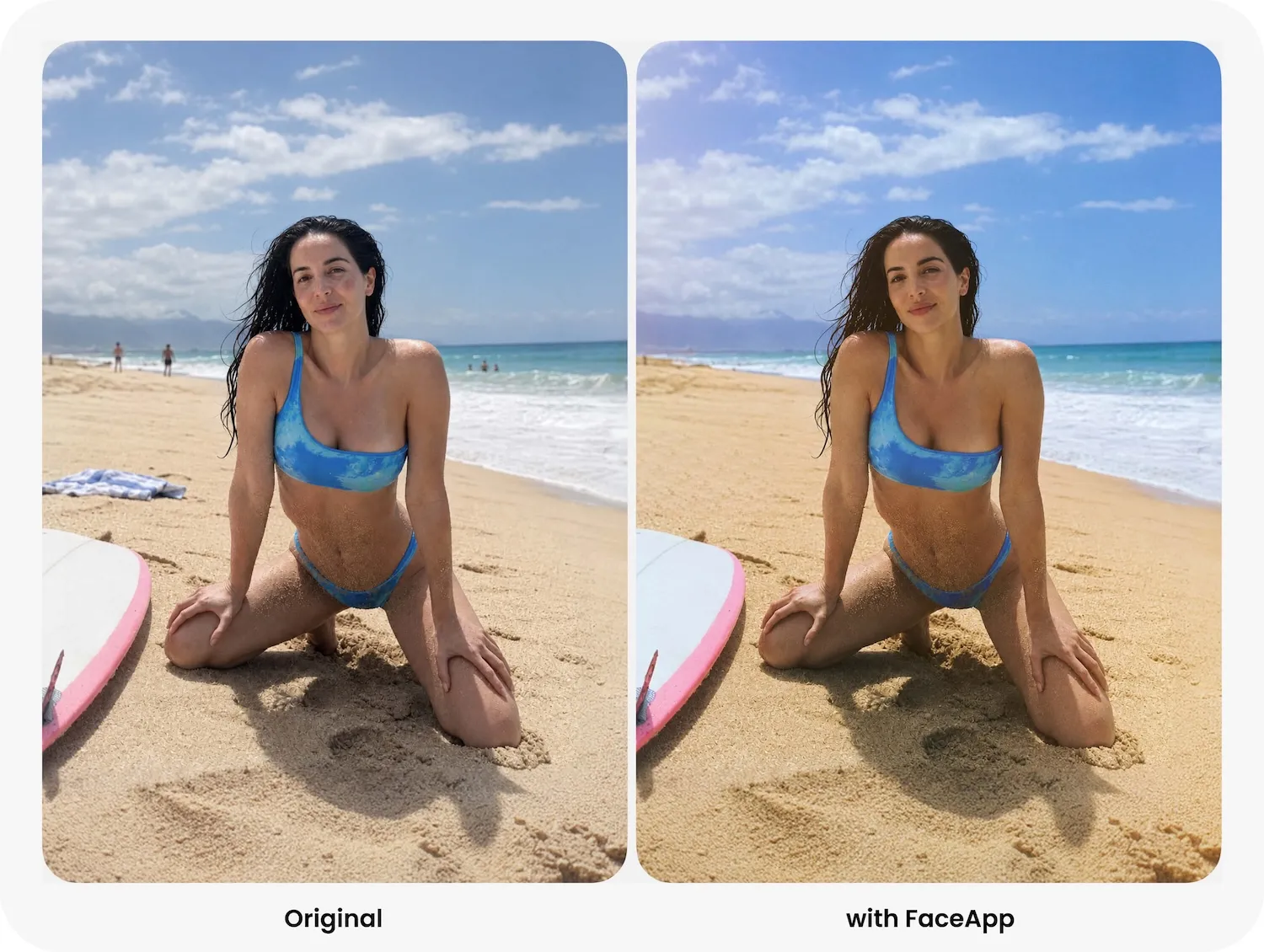
Summer photos work best when they feel easy: clean light, warm color, fresh skin, and nothing extra in the frame. The goal is not to make the picture louder. It is to make it feel like the day looked in your memory: sunny, clear, and real.
Clean up the frame
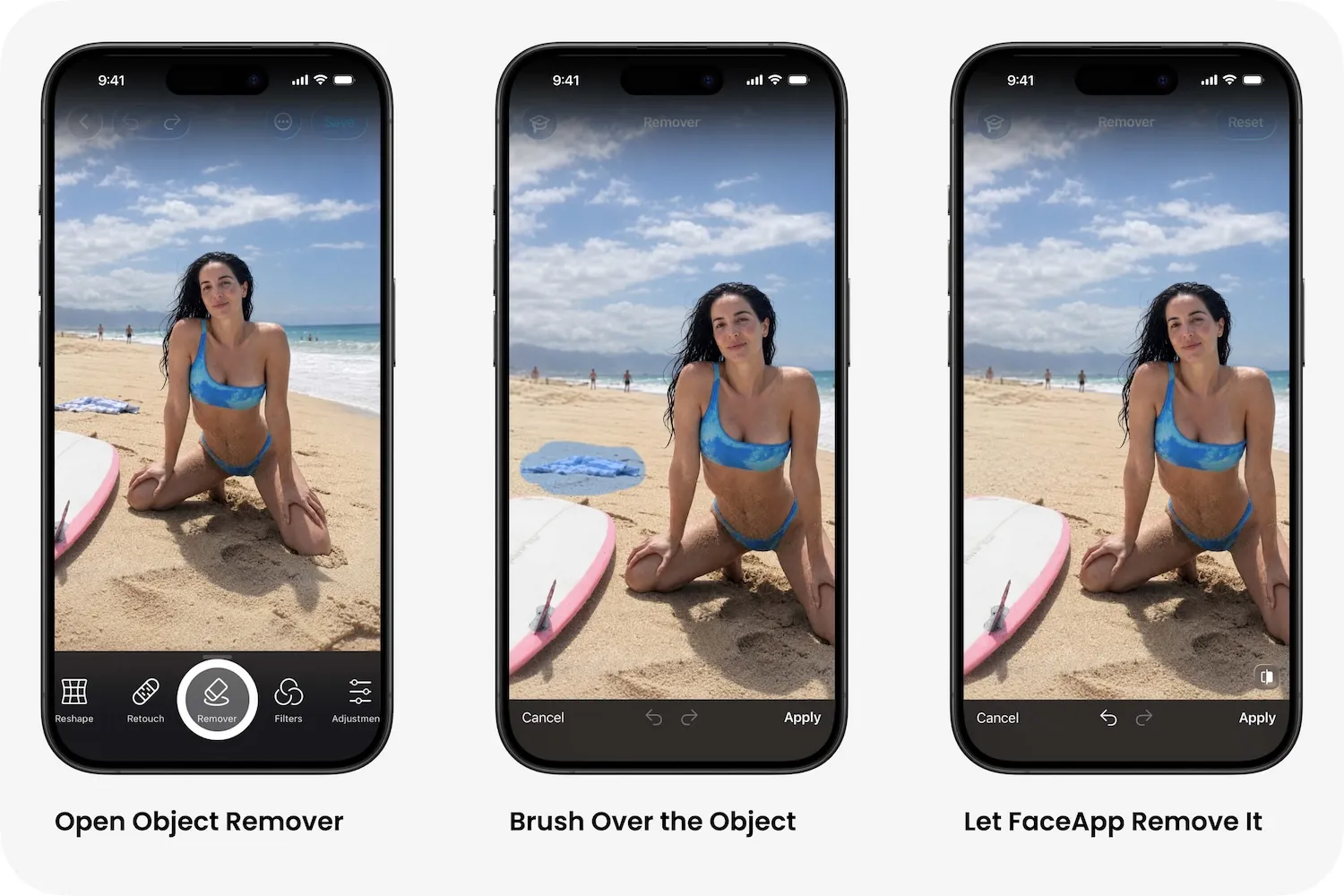
Start with the background. On the beach or by the pool, even a good photo can collect strangers, towels, bags, signs, and random chairs. In FaceApp, use Object Removal to brush away small distractions. Then zoom out. If the person becomes the first thing you see, the edit is working.
Choose a warm filter
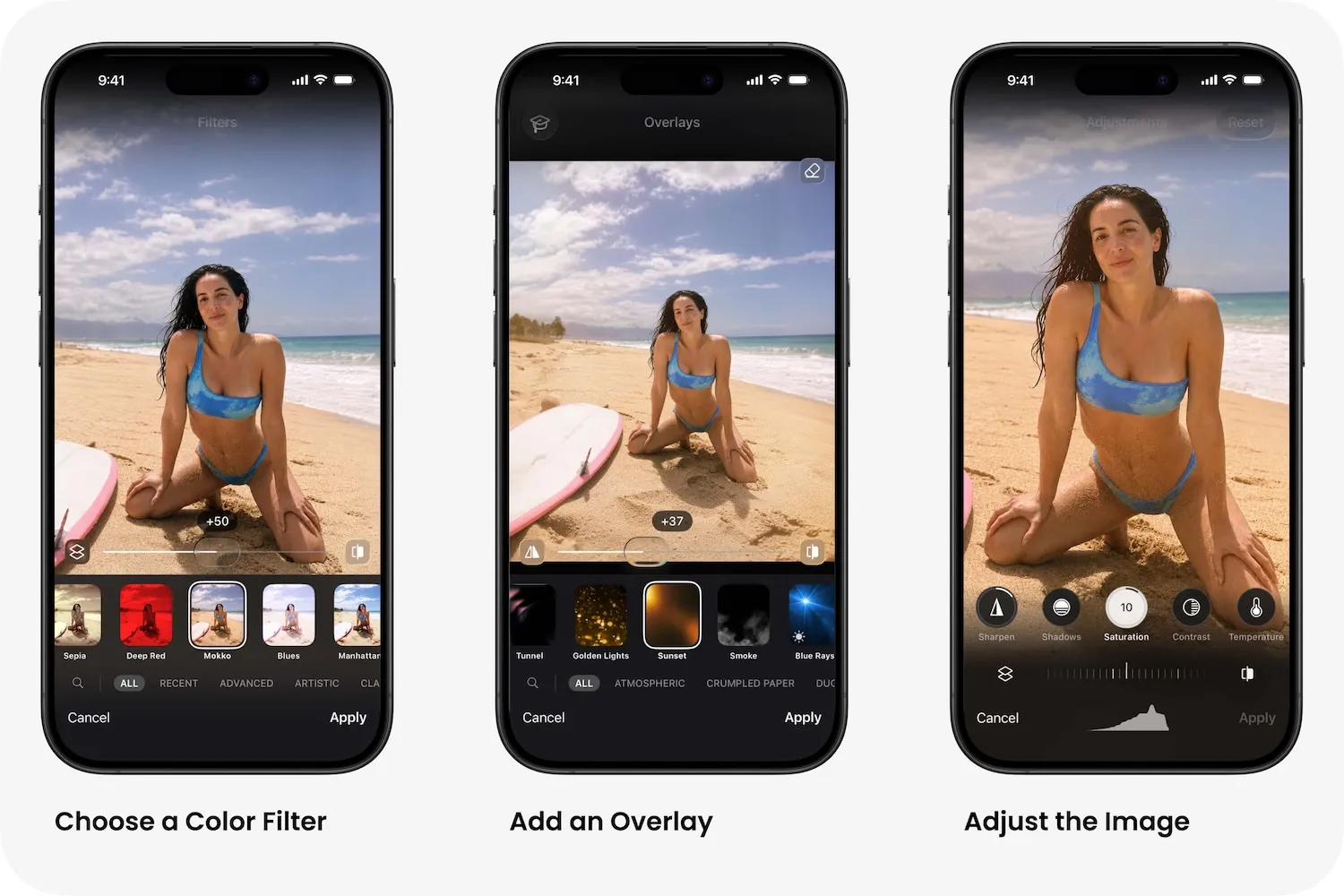
Open Filters and look for warmer, softer tones. You can start with something like Mokko, Elegant, Bloom, Grace, or Gemstone. If you want a stronger golden hour feeling, try filters in the direction of Victoria, Redwin, Autumn, Vintage Warm, Gamlstan or Amber. Keep the intensity low. Skin should stay fresh, sand should stay light, and the sky should stay blue. If the image turns orange, reduce the filter strength and lower Highlights in Adjustments.
Add summer light with overlays
In Overlays, choose effects that feel like real summer light. You can try Desert Sun, Sunlight, Subtle Shine, Sunset, Dune, Soft Glow, Warm Haze, Golden Dawn, Golden Lens or Sunflare. For beach photos, something in the direction of Desert Sun, Sunset, or Warm Haze usually works well. For a soft sun flare, try Sunlight, Subtle Shine, or Golden Lens. Place the light where it could exist in real life and lower the opacity until it feels like sunlight, not a visible layer.
Use face filters softly
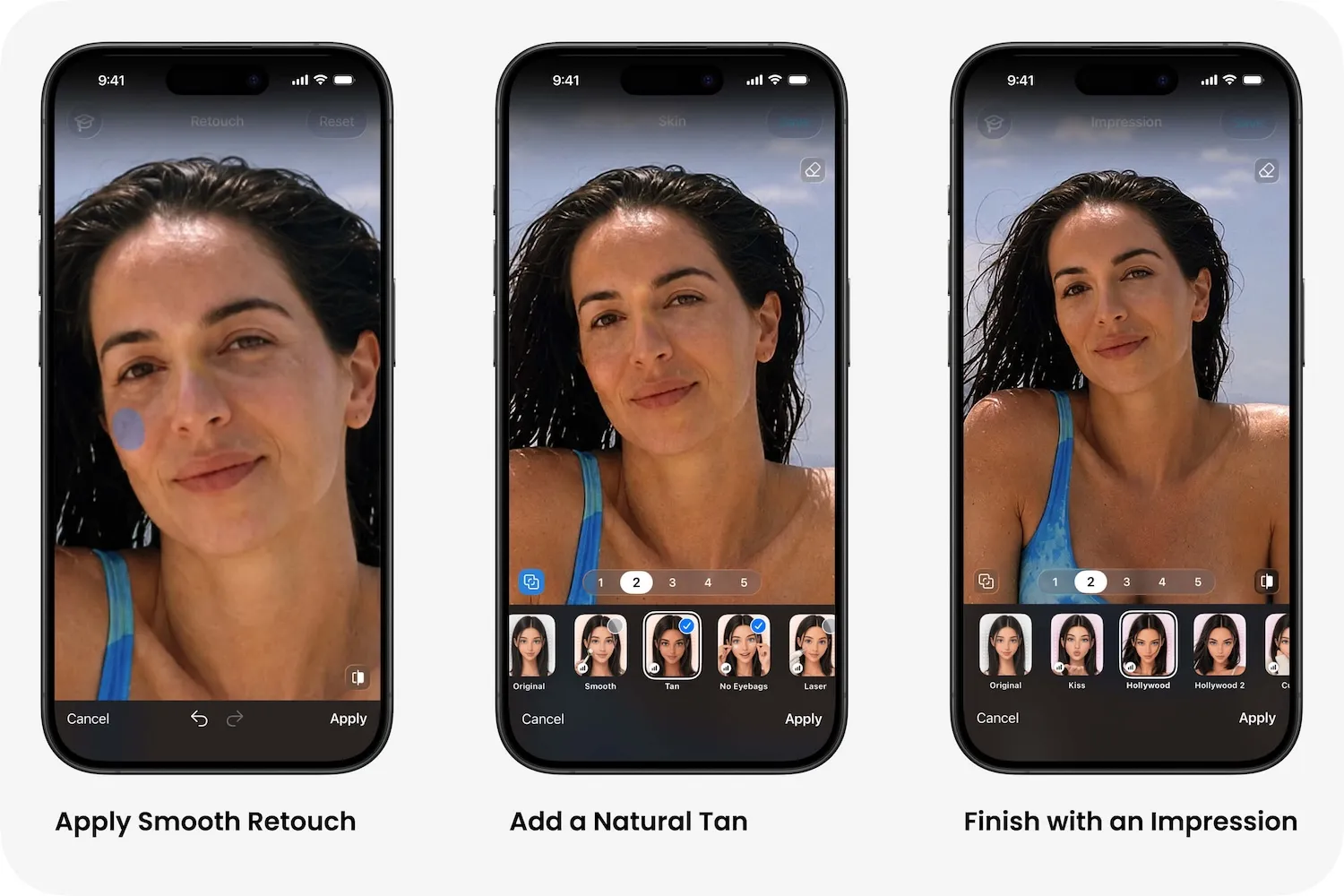
Face filters work best in small amounts. For summer photos, Tan is especially useful: it adds a soft sun-kissed glow, makes skin look warmer and fresher, and keeps the face natural. Use it at low or medium intensity. Add light Retouch to even skin, soften tired details, and preserve real texture. You can also use Reshape carefully to correct lens distortion or posture in swimwear photos. Keep it invisible. The best edit looks like nothing happened.