Make Your Photos Feel like Spring

Seasonal Editing: How to Make Your Photos Feel Like Spring
Make your photos feel like spring. Learn how to edit photos for spring with soft light, fresh color grading, and natural tones. Create a bright, airy seasonal look with ease.
Table of Contents
Why Photos Don’t Always Feel Like Spring
Spring has a very specific visual language. We associate it with light, freshness, and soft color — but photos don’t always capture that feeling naturally. Even images taken during spring can look dull, flat, or slightly out of sync with the season due to lighting, weather, or location.
That’s where seasonal photo editing comes in.
With a few thoughtful adjustments, it’s possible to create a spring-like atmosphere in almost any photo — without changing the original moment or over-editing the image.
The Foundations of Spring Photo Editing
The foundation of spring photo editing starts with light. Slightly increasing exposure and reducing heavy contrast helps photos feel more open and airy. Spring visuals benefit from softness rather than dramatic shadows, so gentle transitions matter more than strong effects.
Color plays an equally important role. Subtle warmth in the highlights can instantly lift the mood, while fresh greens and light pastels bring in a sense of renewal. This kind of spring color grading doesn’t rely on bold saturation — it works best when colors feel clean, balanced, and natural.
Skin tones should stay realistic and healthy. Overcorrecting can quickly break the illusion of freshness. A light touch keeps portraits looking lively without losing authenticity.
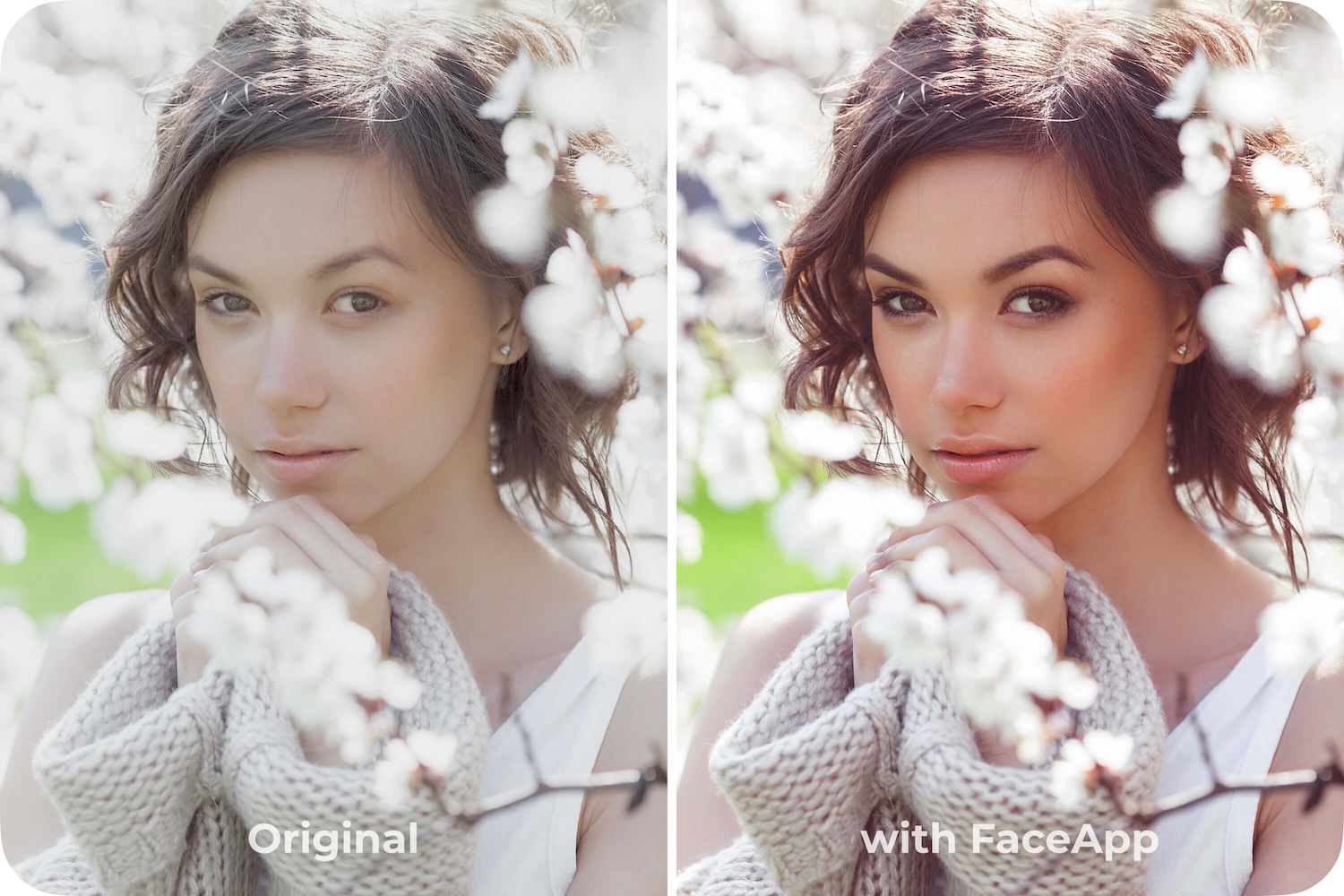
- Cute filter
- Makeup 2 (strength 2)
- Soft Light Preset (Curves)
- Enhancement +15 (adjustments on the whole image)
- Saturation +10 (adjustments on the whole image)
With FaceApp filters and intuitive tone tools, these adjustments are easy to apply. Light-touch enhancements help refine brightness, color, and mood in seconds, making it simple to build a fresh photo aesthetic without technical complexity.
The goal isn’t to force a seasonal look, but to support it — enhancing what’s already there. When done right, editing helps photos feel timely, uplifting, and in tune with the moment.
If you want to edit photos for spring, focus on clarity, softness, and balance. Sometimes, a small shift in light and color is all it takes to make an image feel like it belongs to the season.
FAQs
Q: How can I make my photos look more like spring?
A: Increase exposure slightly, soften contrast, and introduce fresh greens or light pastels while keeping colors balanced and natural.
Q: What colors work best for spring photo editing?
A: Clean greens, soft pastels, and subtle warmth in highlights help create a light, fresh spring atmosphere.
Q: Should spring edits be high contrast?
A: No. Spring visuals benefit from softness and gentle transitions rather than dramatic shadows or strong contrast.
Q: How do I keep spring edits looking natural?
A: Use light-touch adjustments and avoid heavy saturation or overcorrection to preserve realism and authenticity.